GST invoice software for India
GST billing software for Indian shops and traders
Make a correct GST invoice without working out tax by hand. Pick the customer, add items from your product list, and HisabBook AI applies CGST and SGST for sales in your state or IGST for sales to another state.
Print the bill or share the PDF on WhatsApp. Every invoice also updates your stock, the customer’s ledger and your GST reports, so there is nothing to enter twice.
- 1 month free trial
- No payment to start
- Works on mobile & desktop
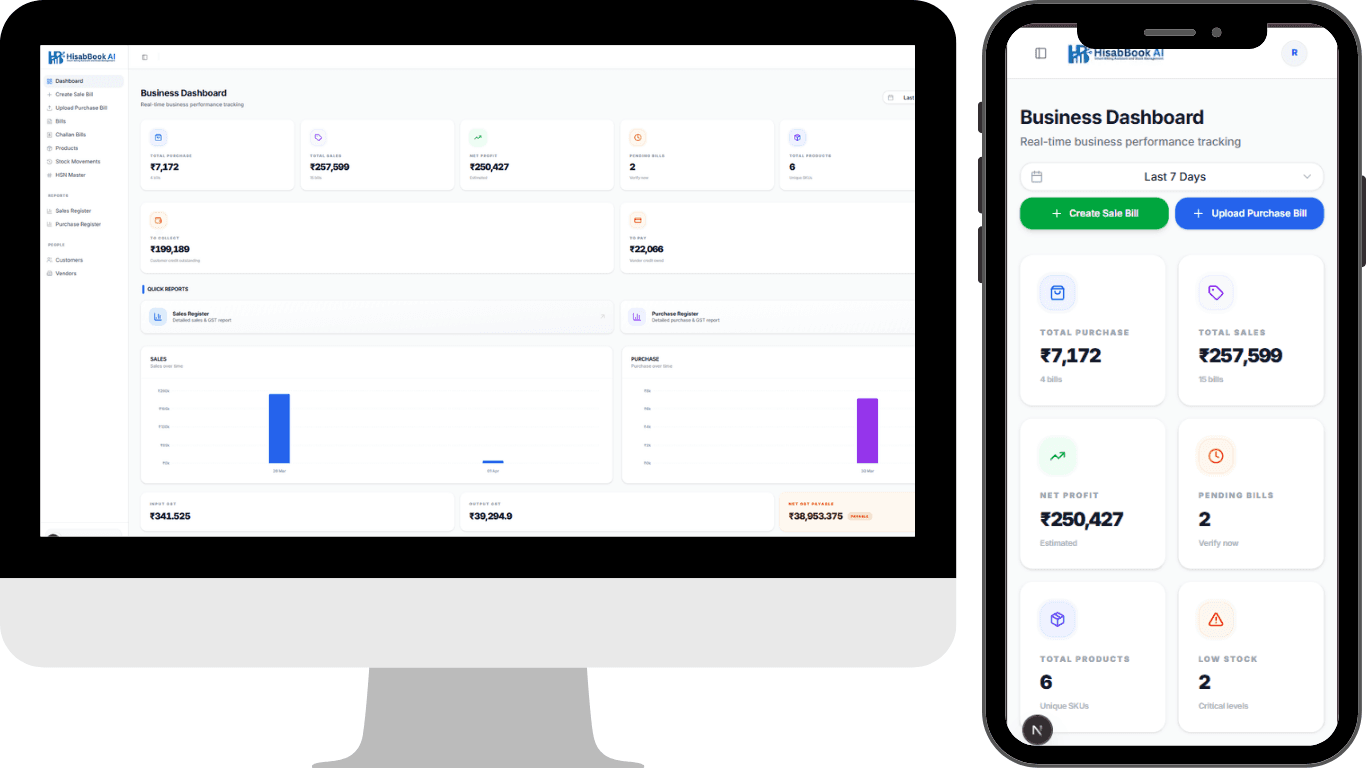
What you get for GST billing
Every bill type a shop needs
Tax Invoice, Retail Invoice, Bill of Supply, Quotation, Cash Memo and Sale Challan from the same screen.
CGST, SGST or IGST automatically
Place of supply comes from the customer’s state code, so the right tax split is applied on every line.
GSTIN verify and auto-fill
Enter a customer’s GSTIN and check it. Name, address, state and PIN code are filled in for you.
Share on WhatsApp
Send the invoice PDF to the customer on WhatsApp from the bill screen, or print it with your logo and UPI QR.
Quotations to bills
Send a quotation first and convert it to a sale bill when the customer confirms. No retyping.
Credit notes for returns
Record full or partial sales returns. A credit note PDF is created and stock and balances are corrected.
Sale bills · Live demo
Create a sale bill in 3 easy steps
For outgoing invoices to your customers — fast and GST-compliant. Returning customers fill in automatically from their mobile number.
Mobile number
Customer name
GSTIN
City / area
State
Repeat customers in seconds. Enter their mobile number — or search by name — and HisabBook fills in their saved details, so you never type the same customer twice.
1 month free trial · No payment to start
How shops use it every day
B2B tax invoice for a registered buyer
Verify the buyer’s GSTIN, add items with HSN codes and GST rates, and send a tax invoice they can claim input credit on.
Sale to a customer in another state
Choose the customer’s state and IGST is applied instead of CGST + SGST — no manual change on each line.
Credit sale with payment later
Mark the bill as credit or record a part payment. The balance shows on the customer’s ledger until it is paid.
Month-end GST work
Sales GST, HSN summary and GST slab reports are built from your bills, ready to export for you or your CA.
Why it suits Indian shopkeepers
- No accounting knowledge needed — the screen asks only for what goes on the bill.
- Works in the browser on your phone, tablet or computer. Nothing to install.
- Payment modes Indian customers use: cash, UPI, card, NEFT, RTGS and credit.
- Discounts, extra charges, transport details and round-off on the same bill.
- Real people on call and WhatsApp to help you get started.
Frequently asked questions
Does HisabBook AI calculate CGST, SGST and IGST automatically?
Yes. The tax split is decided from the place of supply: CGST + SGST when the customer is in your state, IGST when the customer is in another state. You set the GST rate per product.
Which bill types can I create?
Tax Invoice, Retail Invoice, Bill of Supply, Quotation, Cash Memo and Sale Challan. You can set your default bill type in your profile.
Does HisabBook AI file my GST returns?
No. HisabBook AI prepares sales GST, purchase GST and HSN summary reports from your bills, which you or your CA use when filing on the GST portal. It does not file returns for you.
Can I send invoices to customers on WhatsApp?
Yes. Open the bill and use the WhatsApp share option to send the invoice PDF link to the customer.
Is there a free trial?
Yes. New accounts get a 1 month free trial with every feature included, and no payment is needed to start.
More from HisabBook AI
Inventory Management
Stock that updates from every bill, low-stock alerts, batch and expiry.
AI Purchase Bill Scanner
Photo or PDF of a supplier bill in, items, HSN and GST filled in.
Billing for Retailers
Counter bills, udhaar tracking and UPI for kirana, medical and other shops.
Billing for Wholesalers
B2B invoices, wholesale prices, salesman orders, party ledgers and e-way bills.
Free tools: Bill to Excel · GSTIN Check · HSN Code Search · For accountants
Try it on your own bills
Every feature is included in the trial. Call or WhatsApp us on +91 99741 40105 if you want help setting up.